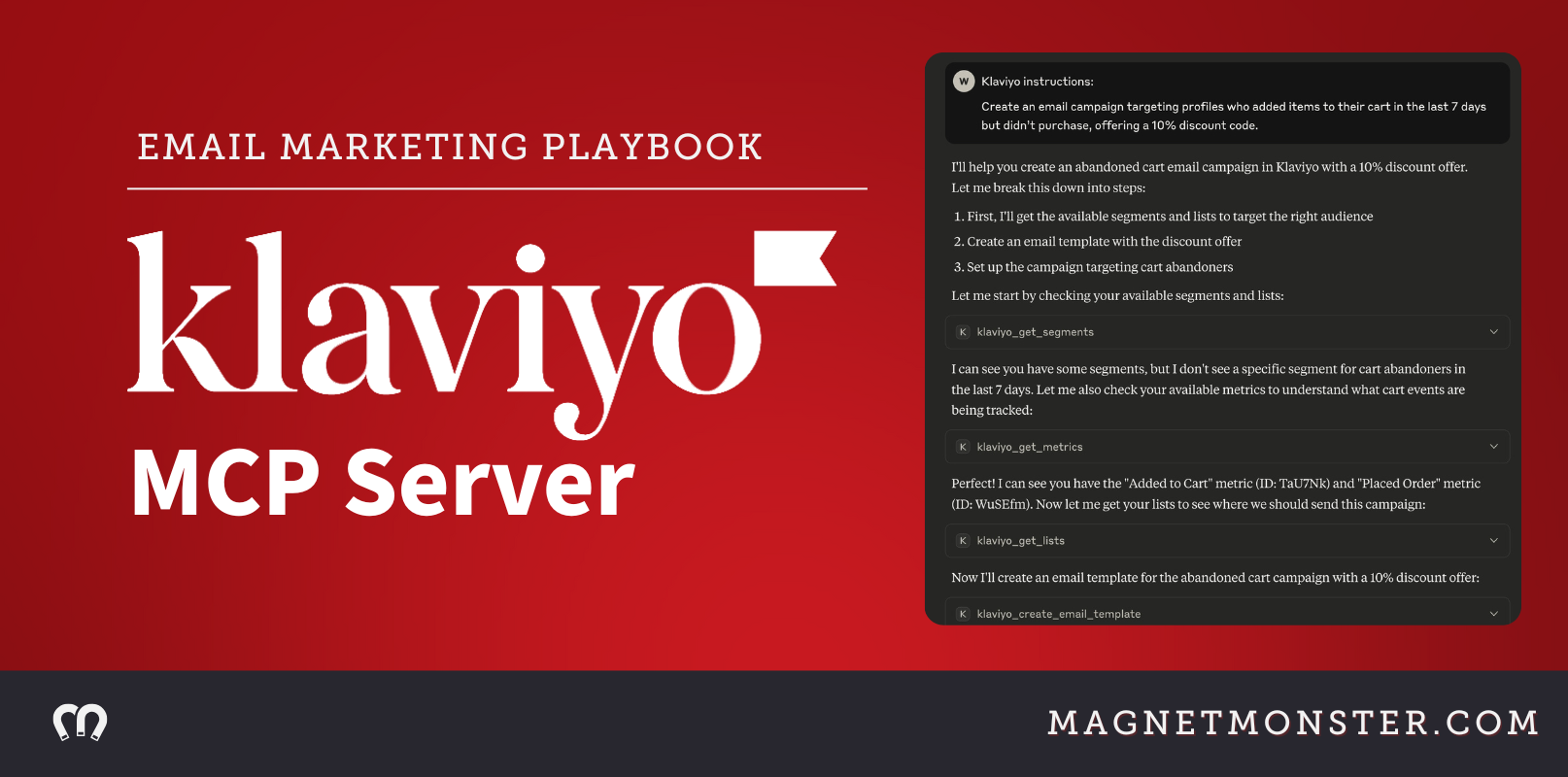

The Klaviyo MCP Server connects Klaviyo's marketing platform to AI agents like Claude, allowing email marketers to automate campaigns, build segments, analyse flows, and pull performance data using plain English prompts rather than code. It sits on top of Klaviyo's existing API infrastructure and is particularly useful for retention teams who want to move faster without adding technical headcount.
For email marketers using Klaviyo, the Klaviyo Model Context Protocol (MCP) Server is a powerful way to integrate AI into your workflows, making campaigns smarter, faster, and more personalized.
In this guide, we’ll dive deep into what the Klaviyo MCP Server is, how to set it up, how it differs from traditional APIs, and why it’s critical for email marketers toknow.
Let's begin!
What is the Klaviyo MCP Server?
The Klaviyo MCP Server is a bridge between Klaviyo’s robust marketing platform and AI agents, enabling seamless interaction with your Klaviyo data.
Built on the Model Context Protocol (MCP), an open standard developed by Anthropic, it allows AI clients like Claude, Cursor, or Zapier to securely access Klaviyo’s APIs.
This means you can use natural language prompts to automate tasks, analyze data, and create campaigns without writing complex code.
Imagine asking your AI to “create a win-back campaign for customers who haven’t purchased in 90 days” or “show me which flows drive the most conversions.”
With the Klaviyo MCP Server, these tasks become effortless, empowering marketers to focus on strategy rather than technical execution.
Key Features
- Complete API Coverage: Access all major Klaviyo endpoints, including profiles, campaigns, flows, lists, segments, events, metrics, templates, and more.
- AI-Friendly Interface: Use natural language prompts to interact with your data, no coding required.
- Secure Connections: Authenticate with private API keys and enable read-only mode for added security.
- Scalable Automation: Integrate with tools like Zapier for no-code workflows or custom MCP clients for advanced setups.
Why should email marketers use the Klaviyo MCP Server?
Email marketing thrives on personalization, speed, and data-driven decisions. The Klaviyo MCP Server supercharges these capabilities by:
- Automating Repetitive Tasks: Create campaigns, update profiles, or pull reports with a single prompt.
- Delivering Real-Time Insights: Analyze campaign performance or customer behavior instantly.
- Enhancing Personalization: AI can pull data from multiple sources (e.g., Klaviyo, Shopify, or GA4) to craft hyper-targeted campaigns.
- Make Your Strategy Future-ready: Stay ahead with AI-driven tools that adapt to evolving marketing trends.
For example, Vortex IQ’s MCP Server for Klaviyo enables real-time automation, detecting cart abandonment and triggering personalized messages based on customer intent, transforming static campaigns into dynamic, responsive workflows.
How Does Klaviyo MCP Differ from APIs?
While Klaviyo’s APIs allow apps to interact with your data, the MCP Server takes it a step further by optimizing for AI integration.
Here’s how they compare:
What are Klaviyo APIs?
Klaviyo APIs are traditional Application Programming Interfaces that allow developers to programmatically interact with Klaviyo’s platform to perform tasks like retrieving customer data, creating campaigns, or managing lists.
Purpose: Designed for direct, developer-managed integrations between Klaviyo and external applications, requiring explicit coding to handle requests and responses.
Key Features:
- Direct Access: Provides granular access to Klaviyo’s data and functionality through endpoints for profiles, campaigns, lists, events, etc., using private key or OAuth authentication.
- Developer Control: Developers write code to make HTTP requests, handle responses, and manage errors, often using SDKs or tools like Postman.
- Flexibility: Supports custom integrations with platforms like Shopify or Magento, with around 220 integrations available.
- Authentication: Uses private API keys (with read-only, full, or custom scopes) or OAuth for secure access, with detailed error handling (e.g., 400 errors for invalid keys)
Here’s a concise comparison of Klaviyo MCP vs. Klaviyo APIs:
In short, APIs are for developers building custom integrations, while MCP is for marketers using AI to streamline complex tasks without coding. For example, an API call might retrieve campaign data, but MCP lets you ask, “Show me my top-performing campaigns,” and get a tailored response.
Setting Up the Klaviyo MCP Server: A Step-by-Step Guide
Setting up the Klaviyo MCP Server is straightforward, even for non-technical users, with the right tools. Follow these steps to get started.
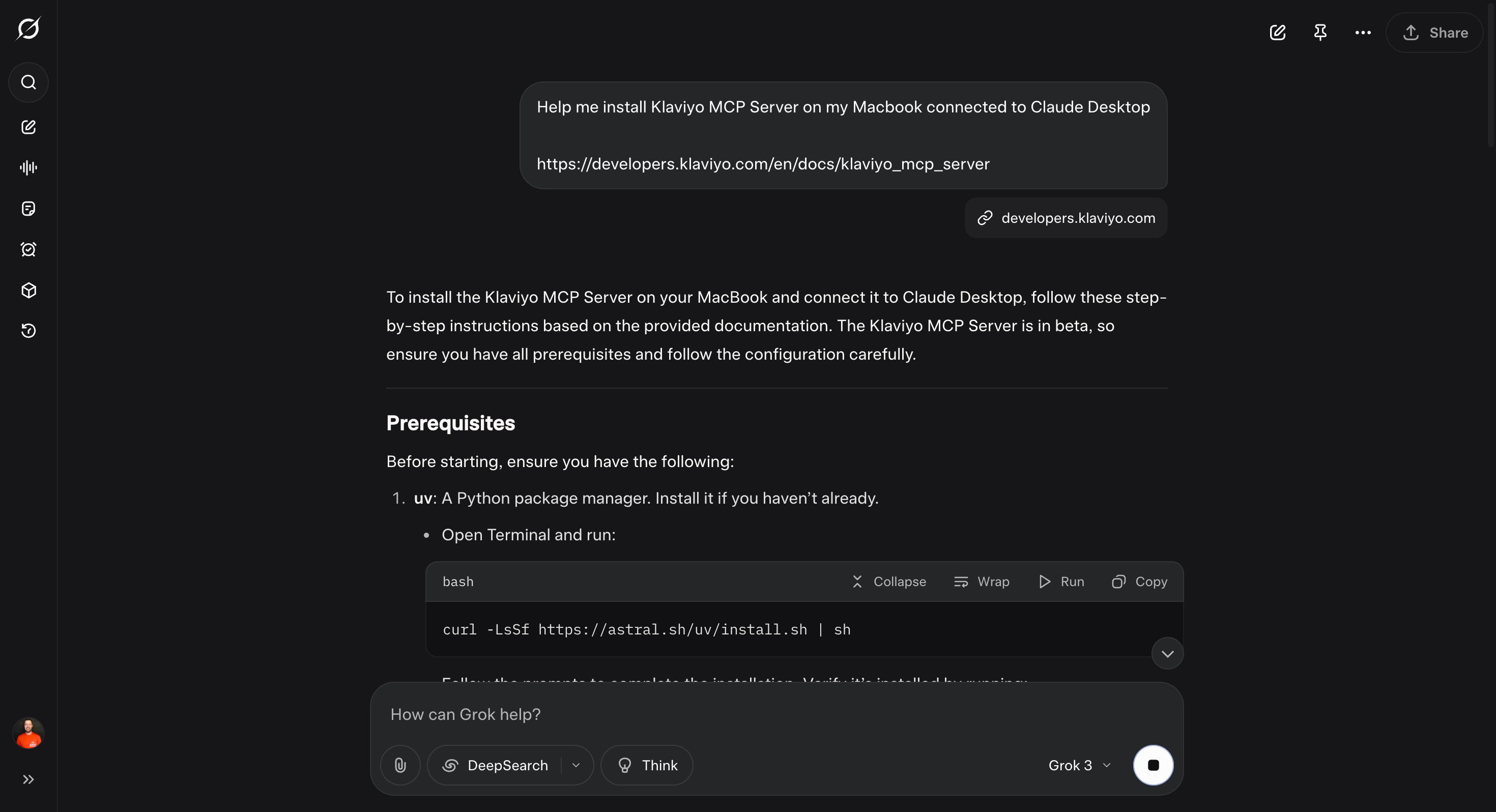
Hint: Use Grok to guide you on the installation and setup, you'll thank me later.
Prerequisites
- A Klaviyo account with a private API key (generate one in Klaviyo’s settings).
- An MCP client (e.g., Claude Desktop, Cursor, or Zapier).
- Node.js installed for running the server (or use a cloud-based MCP solution like Vortex IQ).
Step 1: Install the MCP Server
- Clone the Klaviyo MCP Server repository or install via npm:
npm install klaviyo-mcp-server@latest
- Create a
.envfile in the project directory:KLAVIYO_API_KEY=your_private_api_key_here
READ_ONLY=false
ALLOW_USER_GENERATED_CONTENT=false|
- Start the server:
npm run dev
Step 2: Configure Your MCP Client
In your AI tool (e.g., Claude Desktop or Cursor):
- Navigate to Settings > Developer > Edit Config.
- Add the Klaviyo MCP Server configuration:
{
  "mcpServers": {
    "klaviyo": {
      "command": "uvx",
      "args": ["klaviyo-mcp-server@latest"],
      "env": {
        "PRIVATE_API_KEY": "YOUR_API_KEY",
        "READ_ONLY": "false"
      }
    }
  }
} - Save and restart the client to apply changes.
Step 3: Verify the Connection
- Check for a connection status indicator in your MCP client.
- Test with a prompt like: “List my email campaigns from the last 30 days.”
- If errors occur, ensure the
uvxpath is correct (runwhich uvxon macOS) or verify your API key.
Step 4: Test with MCP Inspector (Optional)
Run the MCP Inspector to explore tools and debug:
npm run inspect
This opens a web interface to test all available tools, such as get_campaigns or create_profile.
Security Best Practices
- Store your API key in a password manager, not plaintext.
- Enable read-only mode (
READ_ONLY: true) for safer operations. - Limit enabled tools in your MCP client to only those needed.
What can you do with the Klaviyo MCP Server's tools?
The Klaviyo MCP Server provides over 34 tools for interacting with Klaviyo’s API endpoints.
Here are some key tools and practical use cases for email marketers:
Profiles
Tool: get_profiles, create_profile, update_profile
- Use Case: Automatically update customer profiles based on recent purchases or behavior. Example prompt: “Update profiles with a ‘VIP’ tag for customers who spent over $500.”
Campaigns
Tool: get_campaigns, create_campaign
- Use Case: Create a new campaign with AI assistance. Example prompt: “Draft a Memorial Day sale email with a 20% discount for all subscribers.”
Flows
Tool: get_flows, update_flow_status
- Use Case: Optimize flows by analyzing performance. Example prompt: “Which flows have the highest conversion rates this quarter?”
Lists and Segments
Tool: get_lists, add_profiles_to_list, get_segments
- Use Case: Segment your audience dynamically. Example prompt: “Add all customers who opened my last email to a ‘High Engagement’ list.”
Events and Metrics
Tool: get_events, get_metrics
- Use Case: Track real-time campaign performance. Example prompt: “Show me the open and click rates for my Black Friday campaign.”
Templates and Tags
Tool: get_templates, create_tag
- Use Case: Streamline content creation. Example prompt: “Create an email template for a product launch and tag it ‘New Release’.”
Real-World Example: AI-Driven Campaign Creation
Let’s say you’re launching a win-back campaign. With the Klaviyo MCP Server, you can prompt your AI:
“Create a win-back email campaign for customers who haven’t purchased in 90 days, offering a 15% discount and featuring our top-selling products.”
The AI will:
- Use
get_profilesto identify inactive customers. - Use
create_campaignto draft the email. - Use
get_templatesto apply a branded template. - Schedule the campaign for optimal delivery time.
This process, which could take hours manually, is completed in minutes with MCP.
How does Klaviyo MCP Server compare to traditional email marketing workflows?
Traditional email marketing workflows often involve:
- Manual data analysis in Klaviyo’s dashboard.
- Coding custom API integrations for automation.
- Static campaigns with limited real-time adaptability.
The Klaviyo MCP Server revolutionizes this by:
- Simplifying Automation: Natural language prompts replace complex coding.
- Enabling Real-Time Action: AI can adjust campaigns based on live data (e.g., cart abandonment triggers).
- Unifying Data Sources: Integrate Klaviyo with platforms like Shopify or GA4 for richer insights.
For instance, a traditional API workflow might require a developer to script a cart abandonment trigger, while MCP allows you to prompt: “Trigger an email for abandoned carts over $50 within 1 hour.”
Advanced Integration: Scaling with Zapier and Cloudflare
For non-technical marketers, Zapier’s MCP integration offers a no-code solution to connect Klaviyo with thousands of apps. You can set up workflows like:
- Sending a Klaviyo email when a Shopify order is placed.
- Adding new subscribers to a Klaviyo list from a Google Form.
For advanced users, deploying the Klaviyo MCP Server on Cloudflare enables remote access, making it available across devices via secure OAuth authentication. This is ideal for teams working on web-based or mobile interfaces.
What are the main benefits of Klaviyo MCP Server for email marketers?
1. Increased Efficiency
Automate repetitive tasks like campaign creation, list management, and reporting, freeing up time for strategy.
2. Hyper-Personalization
AI analyzes customer data across platforms to create tailored campaigns that boost engagement and conversions.
3. Team Collaboration
MCP’s unified data access allows marketing, sales, and support teams to share insights, improving customer journey mapping.
4. Competitive Edge
Leverage AI to stay ahead of trends, delivering cutting-edge campaigns that competitors can’t match.
How we're using Klaviyo MCP Server at Magnet Monster
At Magnet Monster, the most immediate value we've seen from MCP is the speed at which you can analyse and interrogate client data. We use it to ask questions like "which flows drove the most returning customer revenue in the last 90 days" and we get an answer in seconds. This has changed how we discuss strategy with our clients because we no longer have to build the report manually. The data is right in front of us in meetings and every nuance is discussed instead of waiting for the next review meeting.
That said, MCP doesn't solve the underlying problems that limit retention performance. If your active customer file is declining because acquisition has slowed, no amount of AI-assisted segmentation is going to reverse that. The tool accelerates good strategy. It doesn't manufacture it.
What are the limitations of the Klaviyo MCP Server?
While the Klaviyo MCP Server is powerful, there are a few things to keep in mind:
- Beta Status: As of June 2025, the MCP Server is in beta and may undergo changes. Provide feedback via Klaviyo’s developer portal.
- Context Window Limits: Free versions of some MCP clients (e.g., Claude Desktop) have limited context windows, which may restrict tool usage.
- Learning Curve: Non-technical users may need initial support to configure the server, but tools like Zapier simplify this.
Getting Started: Resources and Next Steps
Ready to transform your email marketing with Klaviyo MCP Server? Here’s how to dive in:
- Visit developers.klaviyo.com for detailed guides and documentation.
- Join the Klaviyo developer community on GitHub or Reddit for support and ideas.
- Experiment with the MCP Inspector to test tools and build confidence.
- Explore integrations with platforms like Zapier or Cloudflare for advanced workflows.
How will the Klaviyo MCP Server change email marketing?
The Klaviyo MCP Server represents the future of email marketing, where AI-driven automation meets seamless data integration.
By enabling marketers to use AI with minimal technical expertise, it gives them advanced tools and empowers them to create smarter, more effective campaigns.
Whether you’re automating workflows, personalizing content, or analyzing real-time data, Klaviyo MCP Server is your key to staying ahead in the fast-paced world of email marketing.
Frequently asked questions
Do I need a developer to set up and use the Klaviyo MCP Server?
Not necessarily, though some initial configuration does require comfort with basic technical steps like installing Node.js and editing a config file. Once it's set up, the day-to-day use is accessible to non-developers because the whole point of MCP is that you interact through natural language rather than code. For teams with no technical resource at all, Zapier's MCP integration is the most straightforward entry point. The honest answer is that setup has a small barrier, but it's lower than building a traditional API integration from scratch.
Will Klaviyo MCP Server replace the need for a retention marketing strategy?
No, and this is worth being clear about. MCP makes execution faster - it doesn't make strategy better. The brands that will get the most from it are the ones who already know what good retention marketing looks like and want to do more of it with less friction. If your flows aren't converting, if your active customer file is declining, or if your campaigns are sending to an increasingly disengaged list, MCP won't fix those problems. It will just help you action the wrong strategy faster.
What's the difference between Klaviyo MCP Server and just using the Klaviyo API?
The API requires a developer to write code for every interaction. MCP sits on top of the API and lets an AI agent handle those interactions in response to plain English prompts. So instead of writing a script to pull flow conversion data, you ask your AI "which flows drove the most revenue this quarter" and get the answer directly. For marketers without developer support, MCP significantly reduces the technical barrier to accessing and acting on Klaviyo data.
Is the Klaviyo MCP Server safe to use with live customer data?
Yes, provided you follow basic security practices. Store your API key securely rather than in plaintext, enable read-only mode when you only need to pull data rather than make changes, and limit the tools enabled in your MCP client to only those relevant to your current task. The authentication model uses Klaviyo's existing private API key system, so the security foundation is the same as any other Klaviyo integration.
How does Klaviyo MCP Server fit into a broader omnichannel retention strategy?
MCP is a Klaviyo-specific tool, so its native value is within the email and SMS workflows you're already running through Klaviyo. Where it becomes more powerful is when you connect it with data from other platforms - Shopify purchase history, GA4 behaviour data, or zero-party data from quiz tools - and use AI to orchestrate across those sources. For brands building a genuine omnichannel retention stack across email, SMS, WhatsApp, and direct mail, MCP handles the Klaviyo layer more efficiently, but it doesn't replace the need to have a presence across those other channels in the first place.
Conclusion
The Klaviyo MCP Server gives retention teams the ability to move faster inside Klaviyo without adding technical headcount. They can now to pull performance data, build segmentation logic, and action campaign changes through plain English prompts.
But it's worth keeping this in perspective:
At Magnet Monster, the brands who experience the most success with us have a growing active customer file, a well-executed set of core flows, and a campaign strategy built on reach and frequency rather than over-segmentation and discount dependency. MCP helps you execute that strategy more efficiently.
Where we see the most immediate practical value is in data interrogation and reporting - tasks that used to require either developer time or significant manual effort in the Klaviyo dashboard.
The beta caveats are real. Context window limitations, evolving tool coverage, and the initial setup barrier mean this isn't a plug-and-play solution for every team yet. But the direction is clear, and the marketers who get familiar with MCP now will have a meaningful advantage as the tooling matures.
FAQ
What is the Klaviyo MCP server?
The Klaviyo MCP Server is a bridge between Klaviyo's platform and AI agents like Claude, Cursor, or Zapier. It's built on the Model Context Protocol (MCP), an open standard from Anthropic, and gives AI tools secure access to over 34 of Klaviyo's API endpoints.
How do I connect Klaviyo to Claude?
Install the server via npm (npm install klaviyo-mcp-server@latest), create a .env file with your Klaviyo API key, start the server with npm run dev, then configure your MCP client (such as Claude) with the Klaviyo server settings and test it with a sample prompt.
What can you do with the Klaviyo MCP server?
It lets you automate tasks, analyse data, and create campaigns without writing code, using natural language prompts. It covers all major Klaviyo endpoints — profiles, campaigns, flows, lists, segments, events, metrics, and templates.
Additional Reading

.svg)


.png)


1.png)
.png)